Project at
Thursdayship
My Role
- User research
- Prototyping
- UX/UI design
- Social media management
Summary
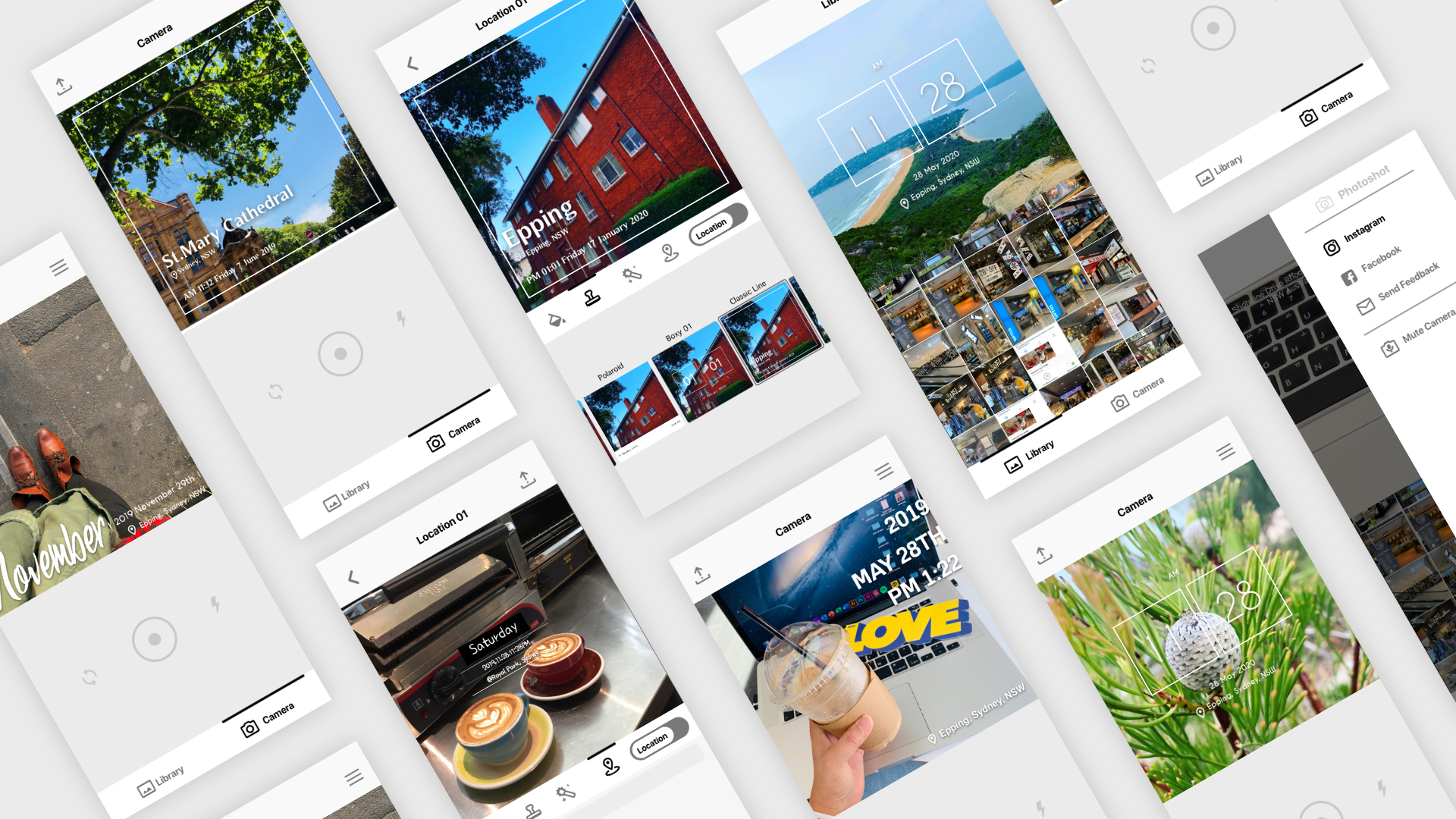
Phototag adds timestamps and location information to users' own photos. It helps users create visual records for activities such as diet tracking, exercise journals, study logs, and more. By making these activities easy to document, Phototag encourages users to keep track of their progress and stay motivated toward their goals.
Project Goals
1. Design a simple app for logging time and location
2. Create shareable images for social media
3. Establish an update strategy based on active user feedback
User Mindsets
By synthesizing our user research, we identified two key user mindsets.

The Planner
“I love it because I can log my plans and goals.”
The Planner wants to document moments throughout their daily life
in order to track personal goals and maintain consistency.

The Traveller
“I want to share my travel memories with photos on social media.”
The Traveller wants to create visually engaging photos to share on
social media or blogs. They may use multiple photo apps to meet
different needs, such as location tracking and timestamping.
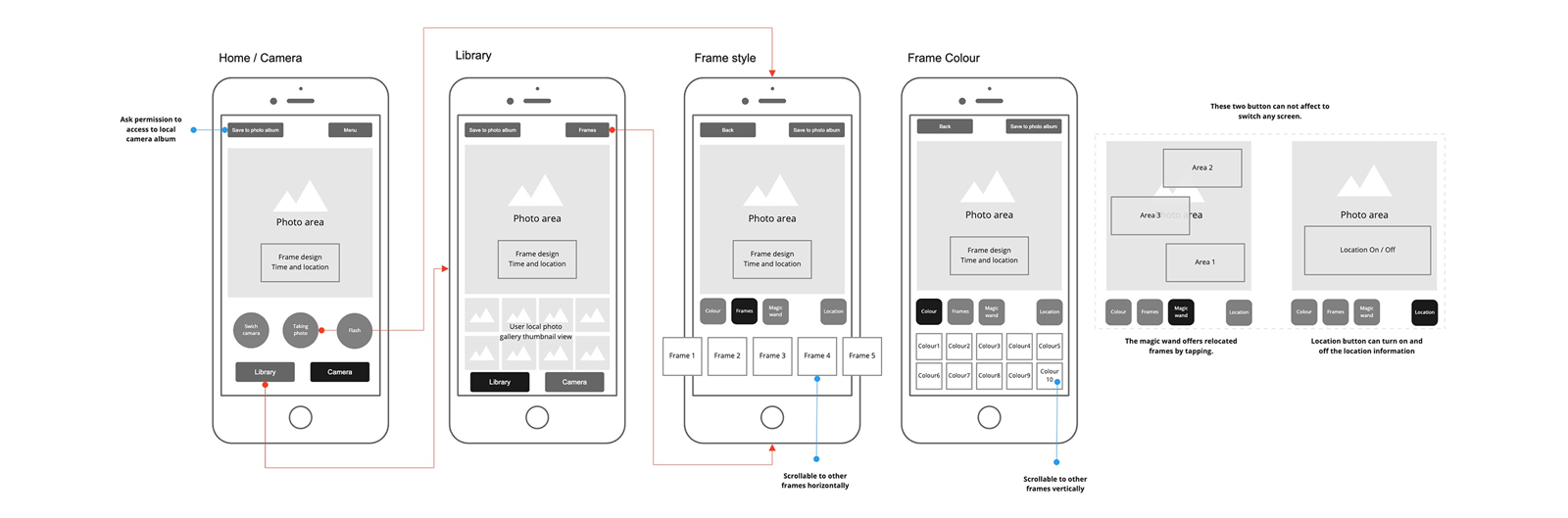
App Flow
User Feedback Analysis
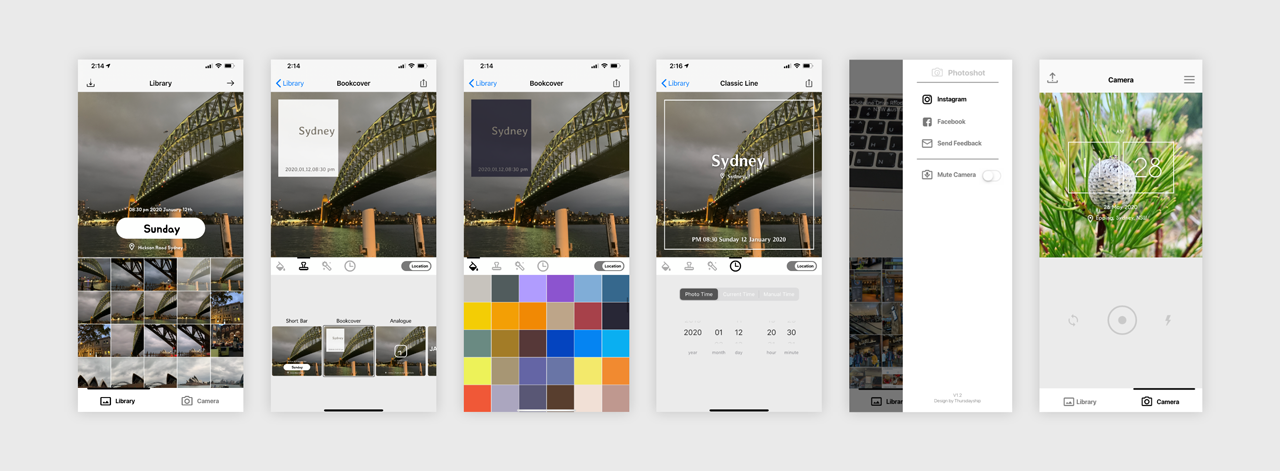
We analyzed user reviews to identify opportunities for improvement and prioritize new features. The three most frequently requested features were editing the time, location, and timestamp placement.

Frame Design
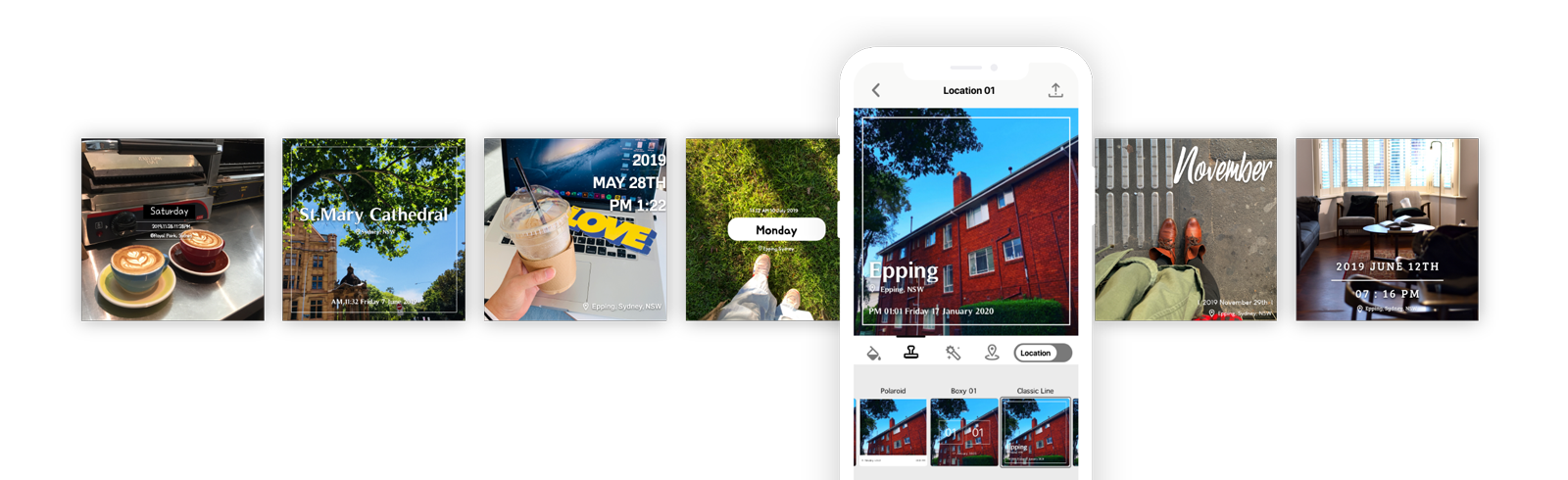
A variety of photo frame designs gave users more flexibility and expanded their creative options.
Atomic Consistency

Achievement
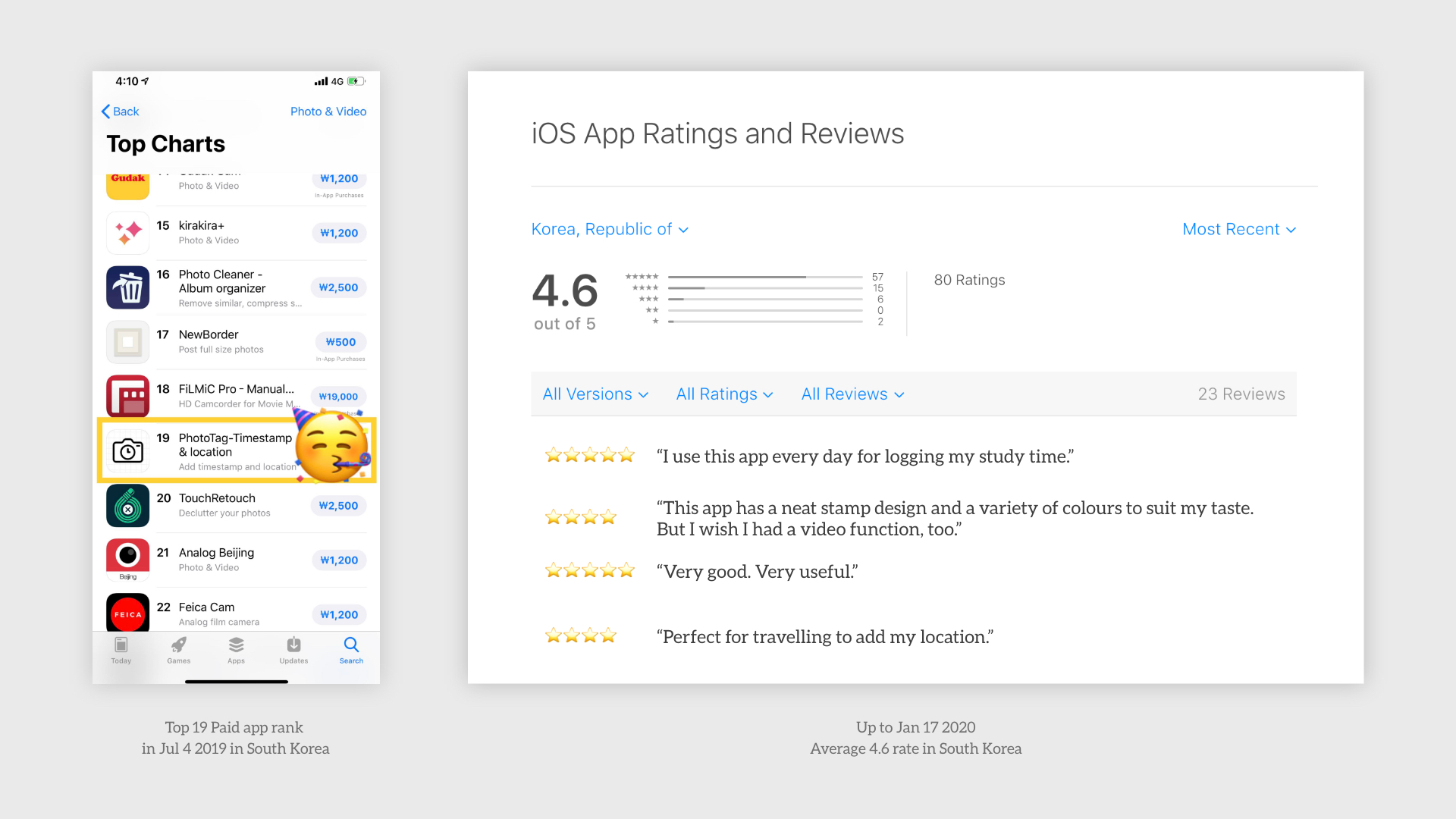
Ranked 19th in the Top Paid Apps on the South Korean App Store.
Learnings
Product updates were driven by user feedback.
We regularly collected and analyzed user feedback to determine
feature priorities for each update. This ongoing communication
with users helped Phototag reach 19th place among paid apps on
the South Korean App Store.
Establishing a clear update direction and release cycle was an
essential factor in improving user retention and increasing
downloads.